Scaling a design system
1.0
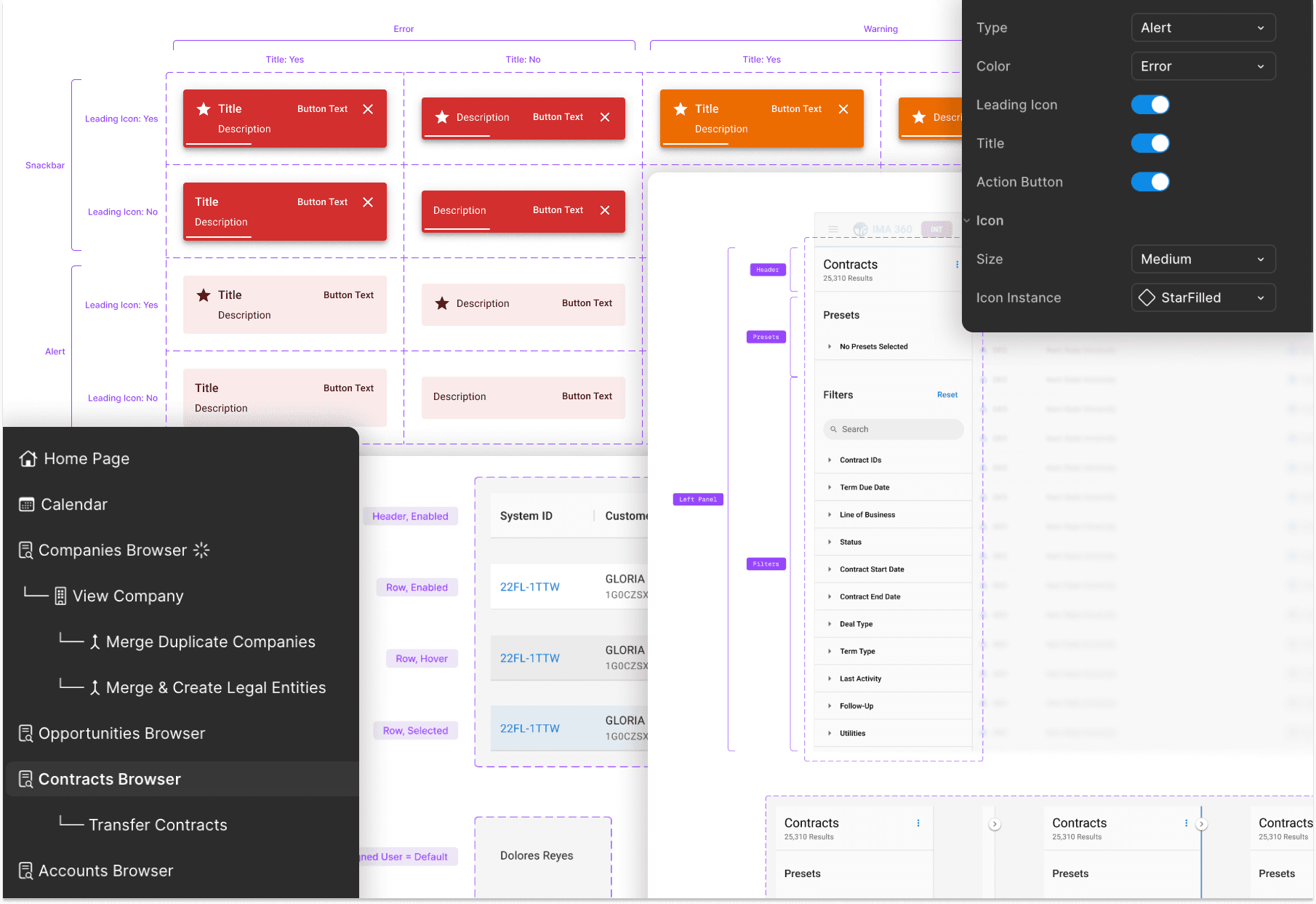
Breadth of design system work

The Stakes
IGS' robust applications were quickly outgrowing their UI(s).
2.0
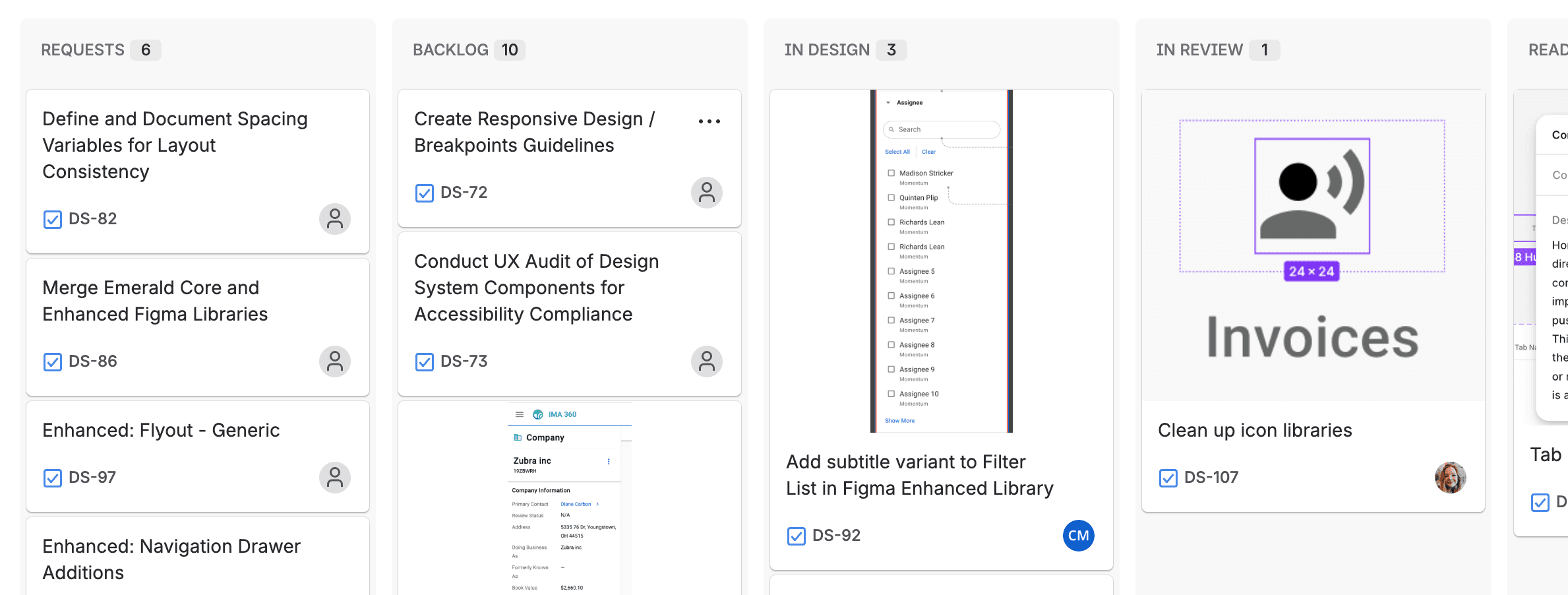
Our design system Jira board is a testament to the many updates we're still making to this day.
Without the appropriate infrastructure, our UIs couldn't appropriately handle the data, architecture, and workflows we needed to build.
A Multifaceted Problem
IGS' quickly-growing applications demanded design system updates. Teams were forced to build using one-off patterns, leading to non-ideal, inconsistent user experiences, design debt, and increased development time.
Outcomes
1: Spec File for IMA 360
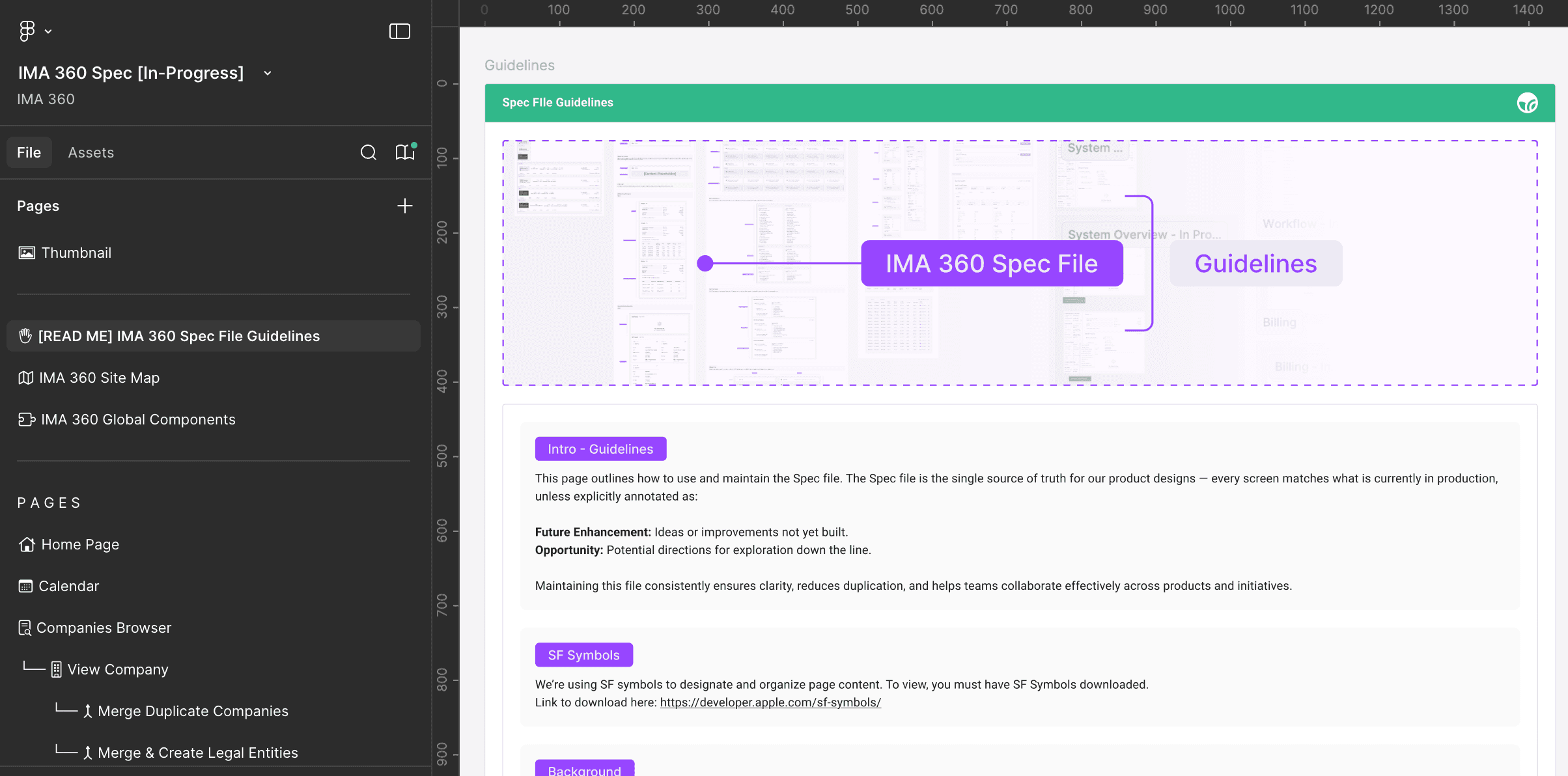
I spearheaded the spec file for IMA 360—IGS' commercial and industrial core CRM—to enable design to build screens faster and consistent with what should be in production.
3.0
Screenshot of spec file, acting as the source of truth for IMA 360 designs in Figma
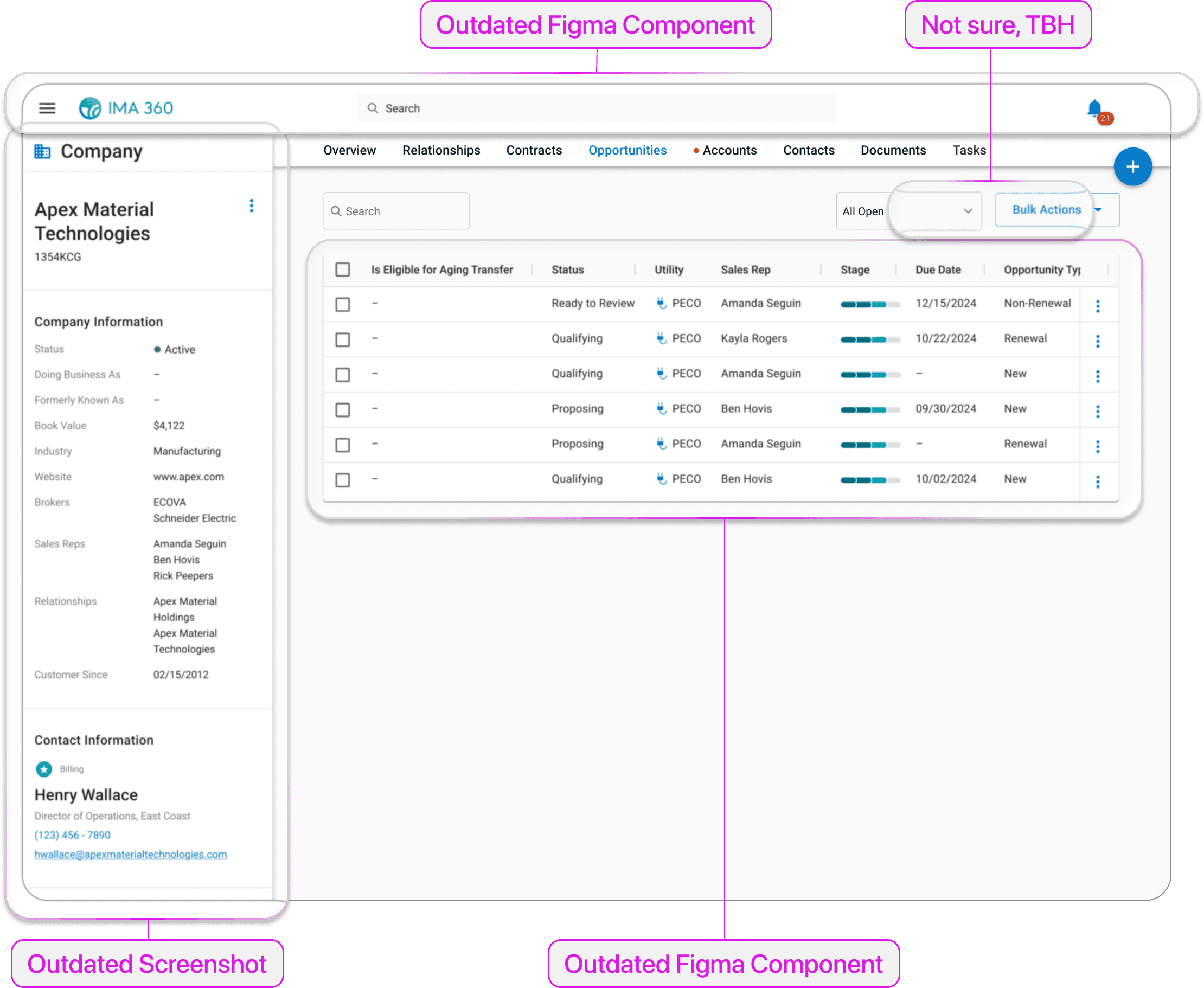
Ex: Opportunities Tab (Before Spec File)
3.1
Example of a "Frankenstein'd" screen
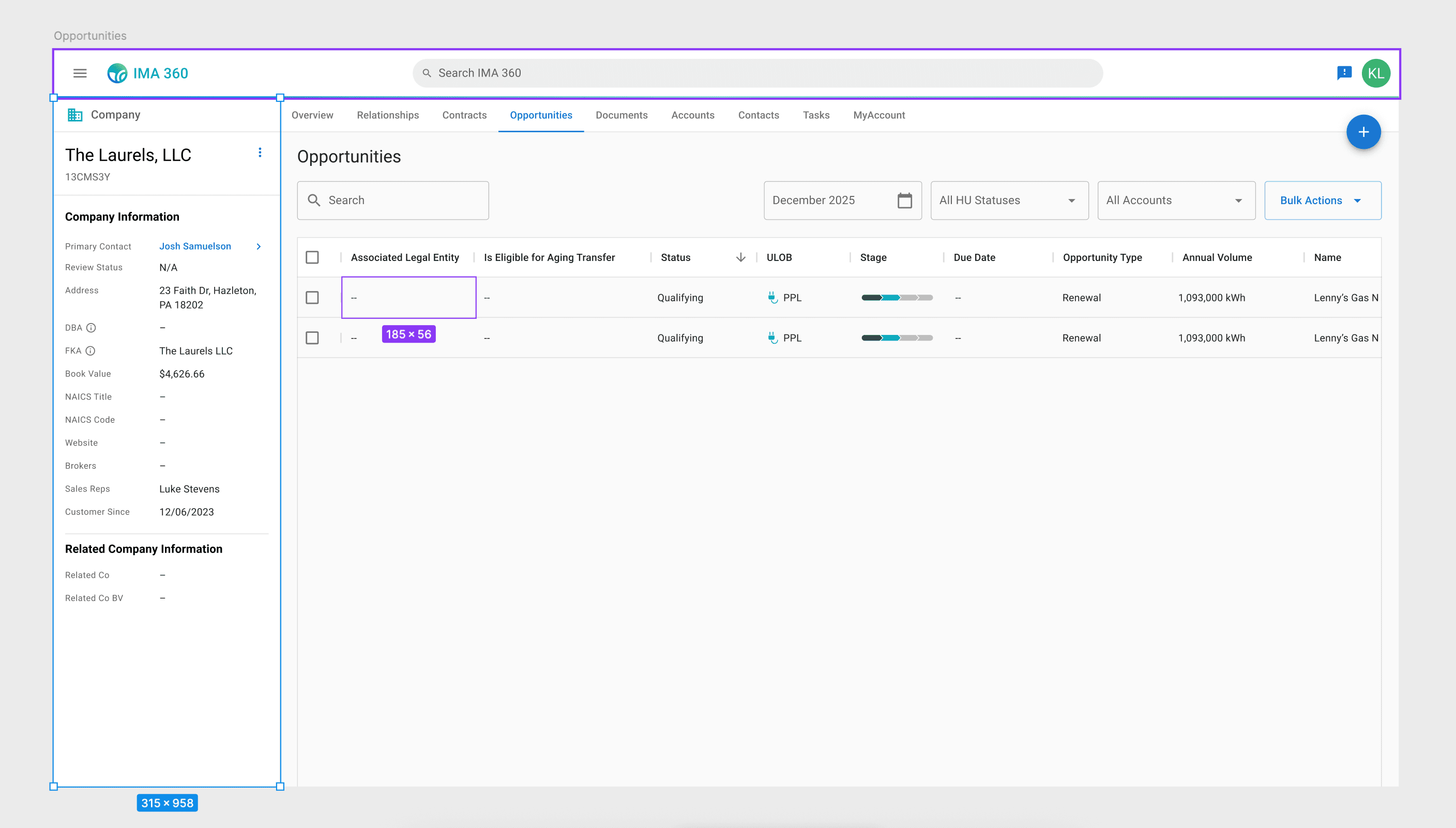
Ex: Opportunities Tab (After Spec File)
3.2
A screen 100% up-to-date and built in Figma, ready-to-use
3.3
Spec for Contracts Browser page
2: Component Update - Snackbar and Alert
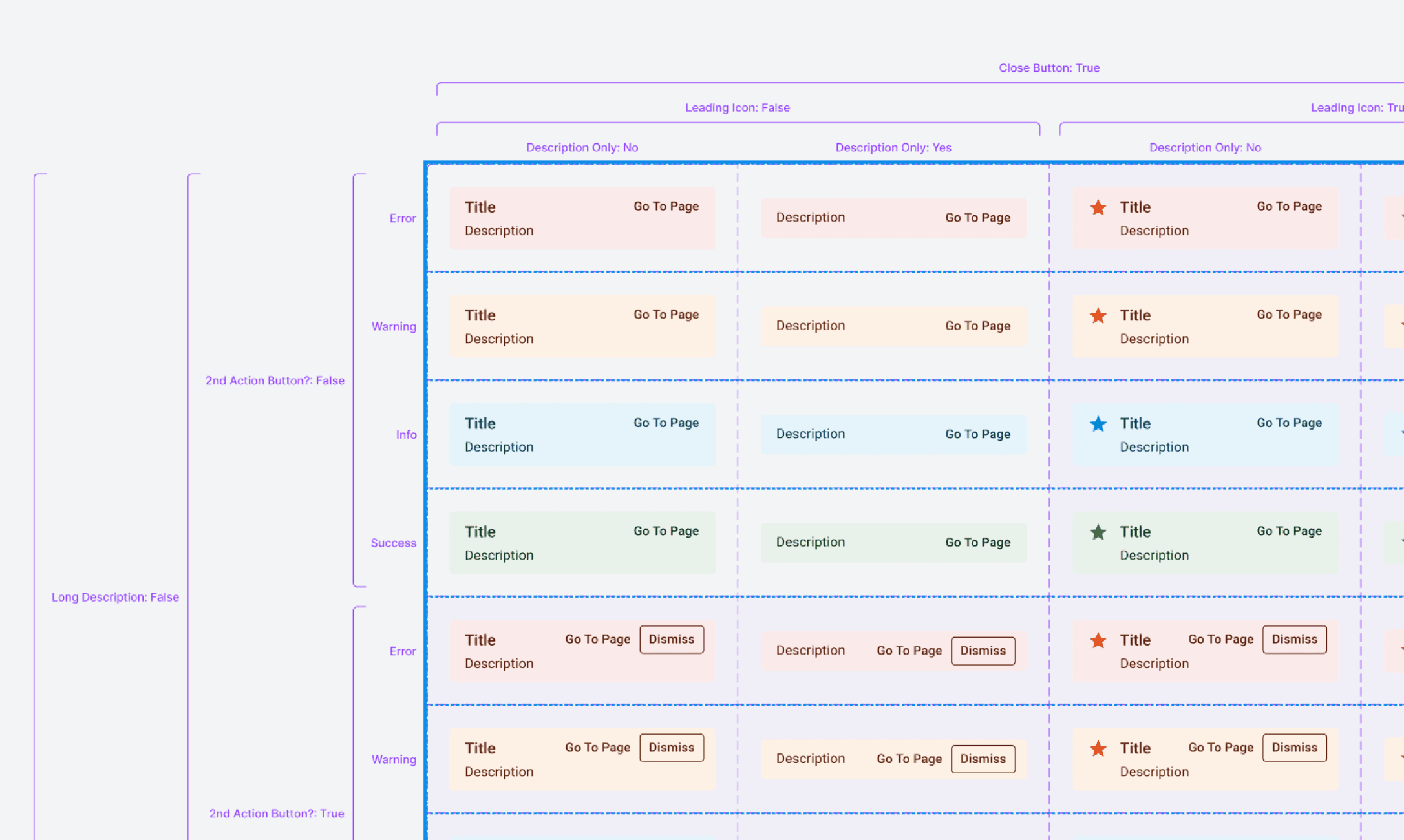
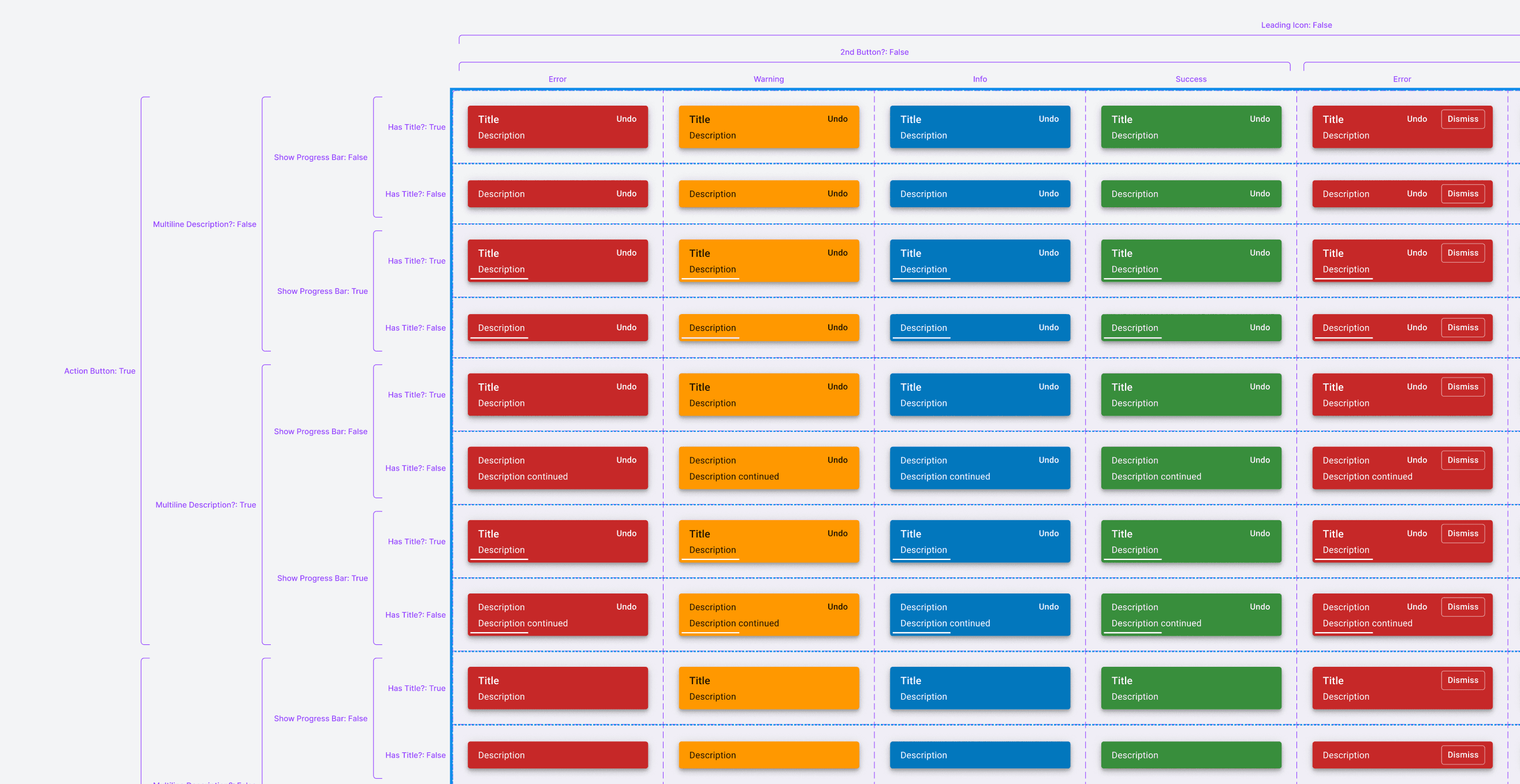
Two of the components that I worked on (20+) was the Alert and Snackbar, which I made usability improvements to.
4.0
Alert property table
4.1
Snackbar property table
Process
5.0
Original Component
Initially, the Alert and Snackbar components were combined into one. We needed to separate them to prevent confusion between which variant to use.
5.1
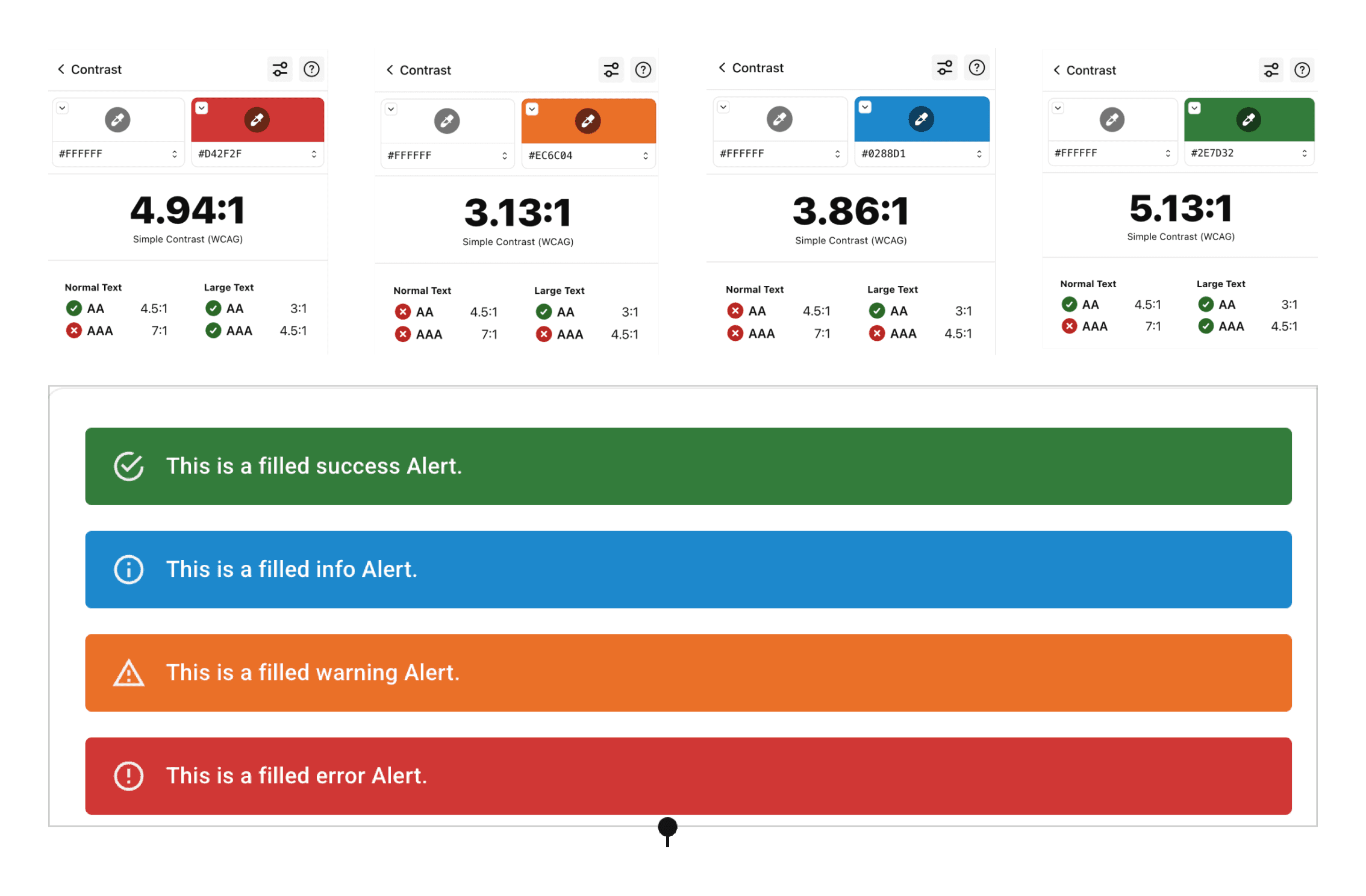
Alert component derived directly from MUI.
The Alert component that came "stock" from MUI didn't pass accessibility requirements, which warranted more than just a separation of components, but a task to improve its design.
5.2
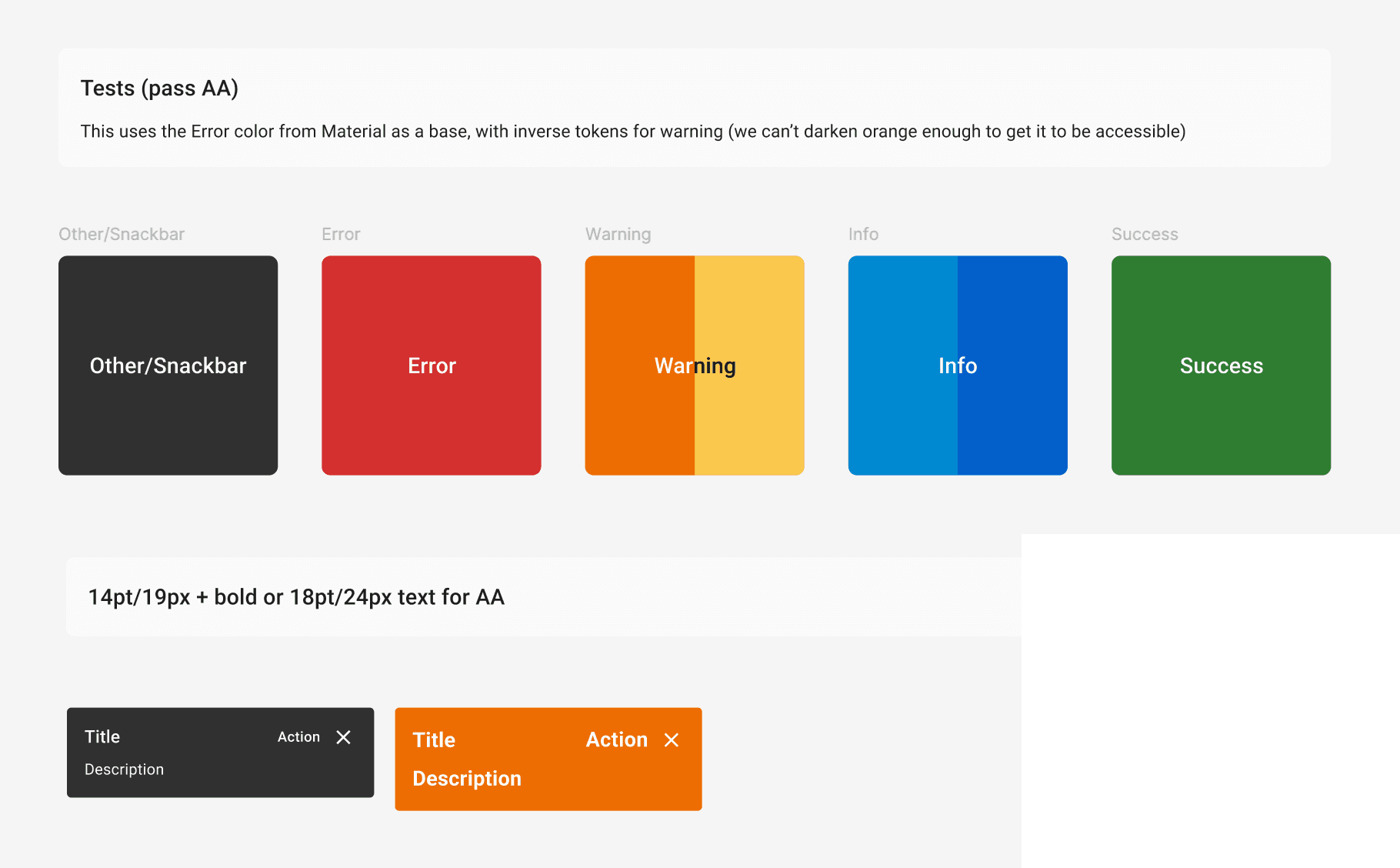
Color and typography explorations
I found that simply changing the colors wouldn't be as simple as I thought. I had a lot of trouble deciding if having inconsistent tokens to support the Warning state color could justify this inconsistency, so I also looked at changing typography to meet AA accessibility, but that didn't work.
5.3
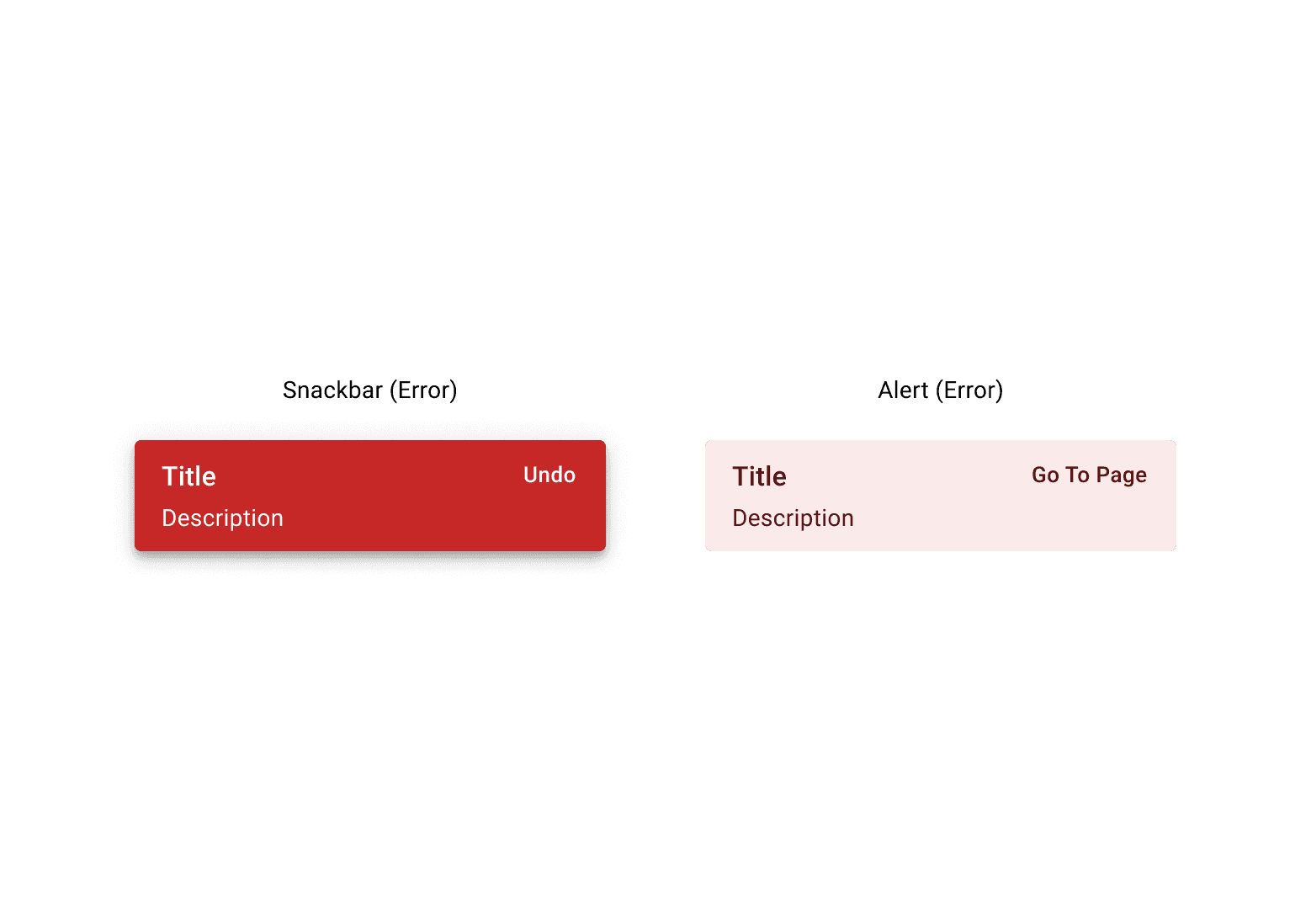
Snackbar vs. Alert
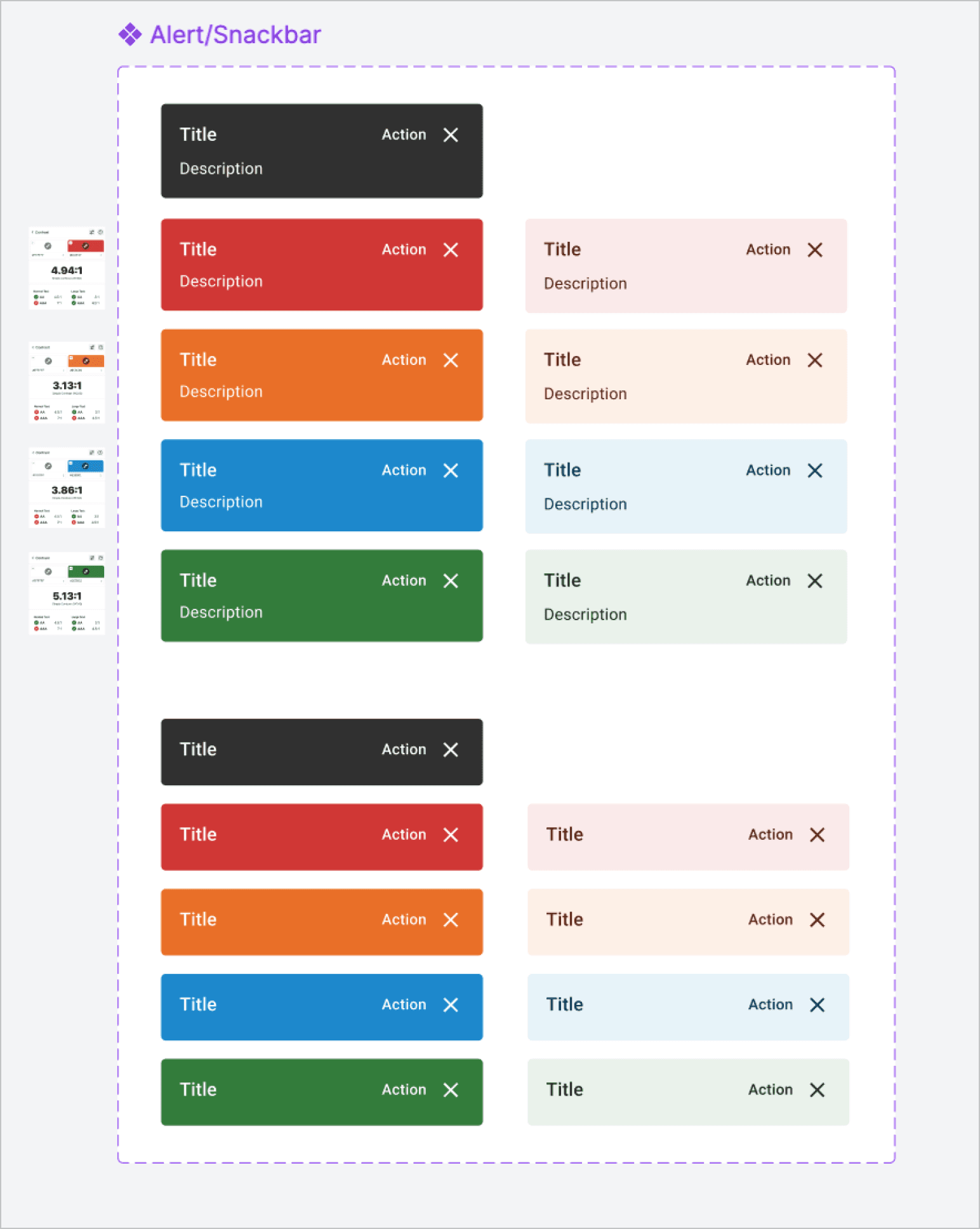
To maintain consistency with our production components, I prioritized our existing design system colors (Figure 4) by using tokens to adjust contrast for accessibility rather than introducing new hues. I evaluated using the outlined or soft-fill styles found in the Alert component but ultimately chose the high-contrast approach for the snackbar. (You can ask me why in an interview)
5.4
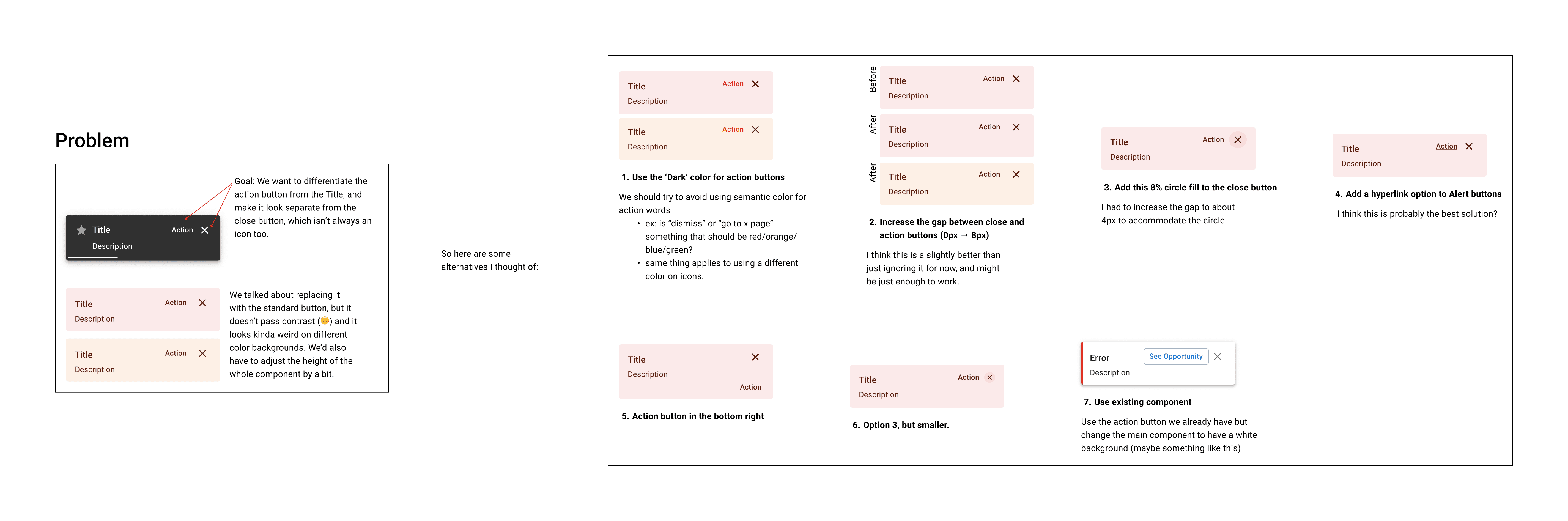
A screenshot documenting some questions I asked for a design system governance meeting
Apart from accessibility changes, there were many issues trying to fit so many elements into this tiny component, which I resolved through iteration and feedback by laying out a current and more future-state solution for these components.
5.5
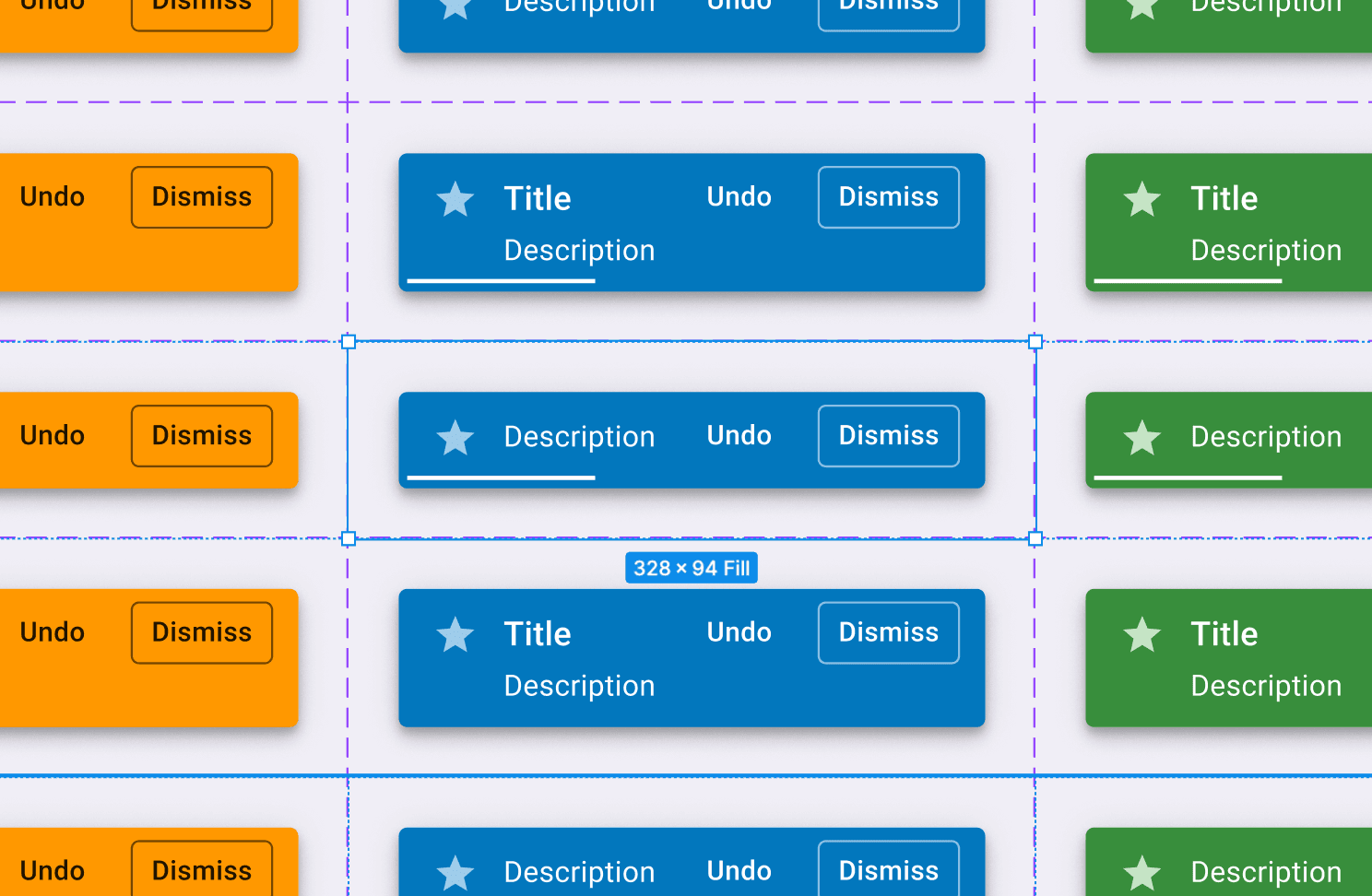
Snackbar dense variant in property table.
Another change I introduced were dense variants for Alerts and Snackbars. Having an animation and semantic color often drew enough attention as-is. Screen real-estate is expensive in IMA 360, so I wanted to keep these components small when titles aren't necessary. In hindsight, the padding is a bit off, so I'll be fixing that :P
5.6
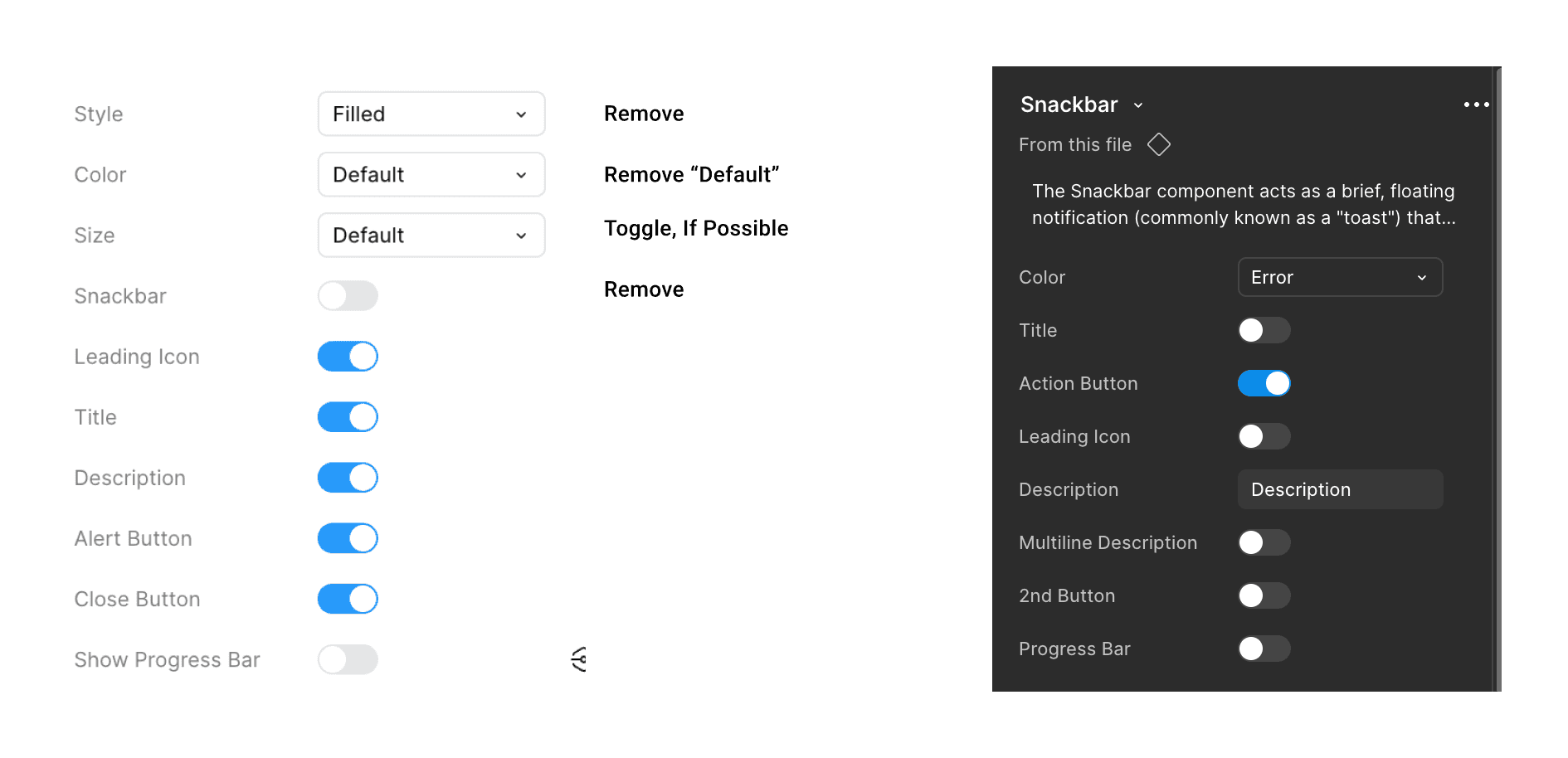
Snackbar component properties
And of course, I improved the UX of the tools we use as UX designers by surfacing text properties at the top, and using boolean toggles as much as possible to reduce clicking. I also added documentation directly to our Figma components, which could be useful if a designer is having trouble.
3: Specialized Components
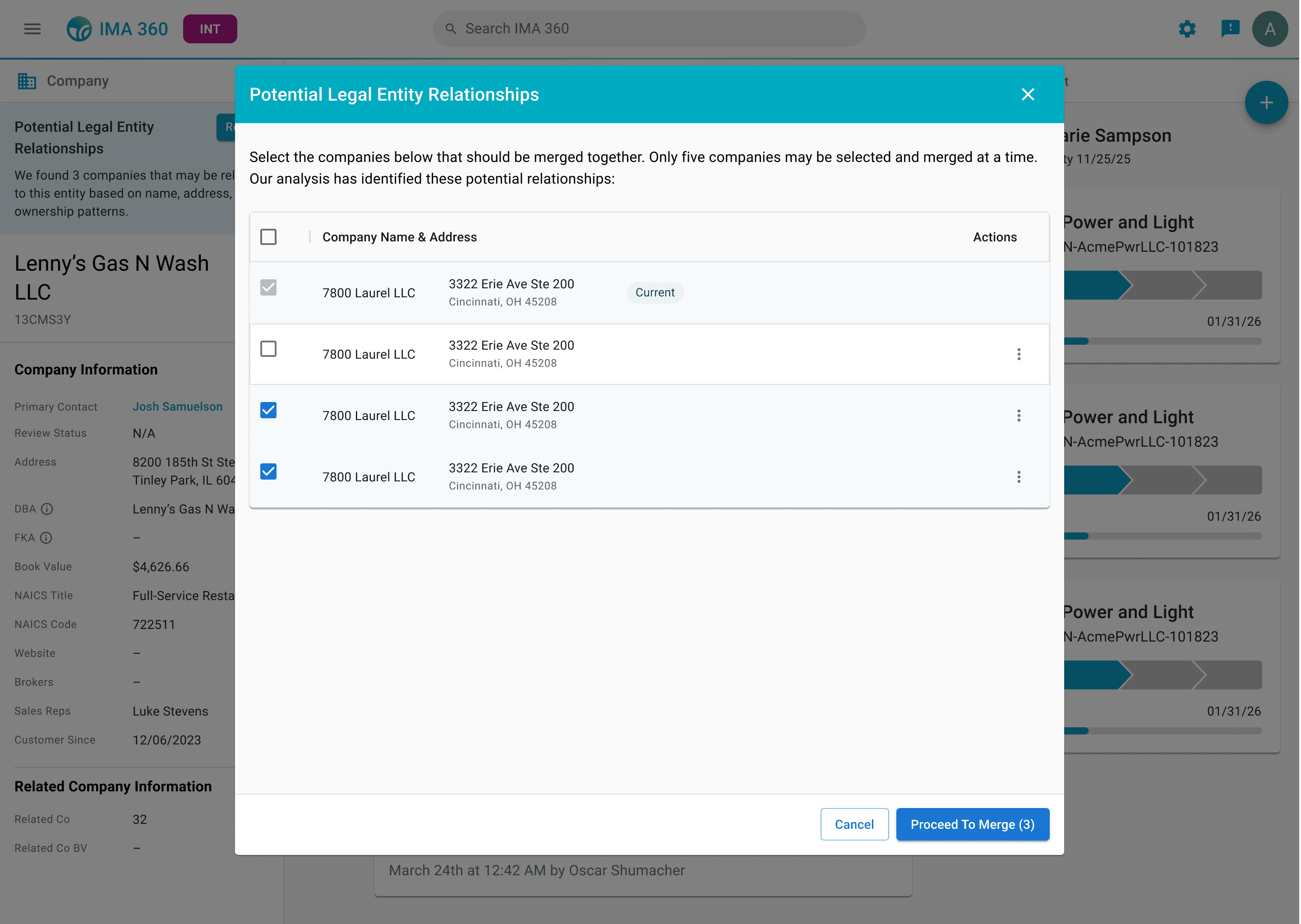
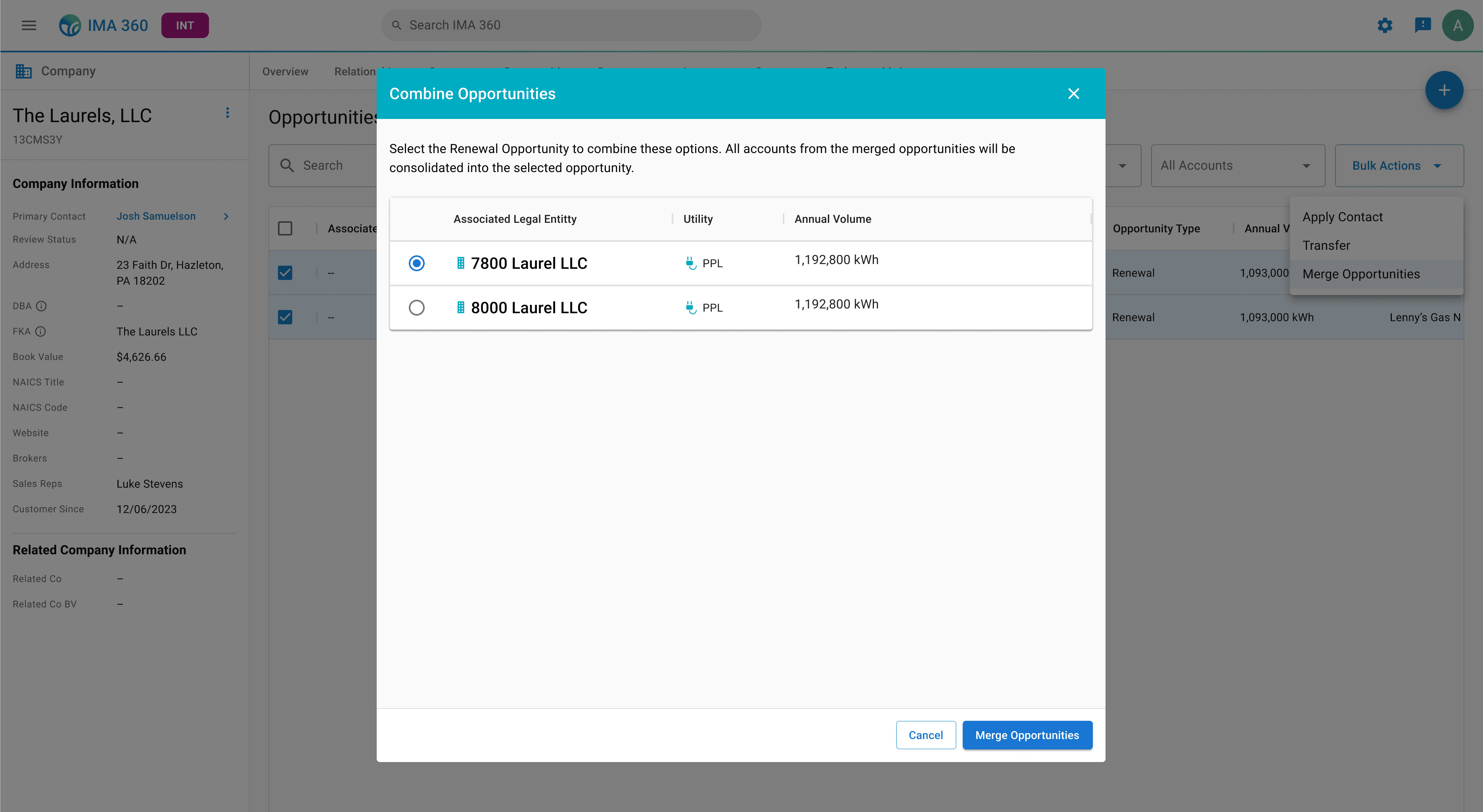
Apart from working on components for our design system, I also designed new specialized components and patterns for IMA 360 to support new tools and features.
Modal and Custom Tables
6.0
New modal component in-context (Table with Checkboxes)
6.1
New modal component in-context (Table with Radios)
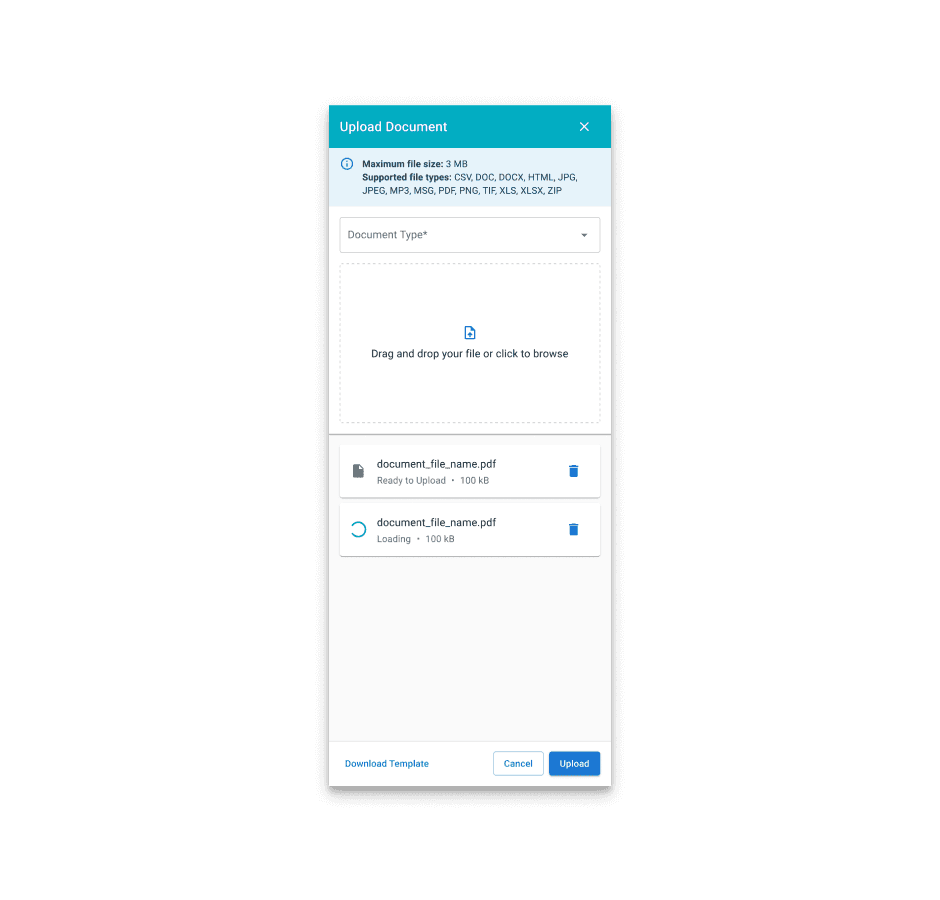
Upload Flyout (Existing Component)
7.0
Upload flyout, used universally at IGS
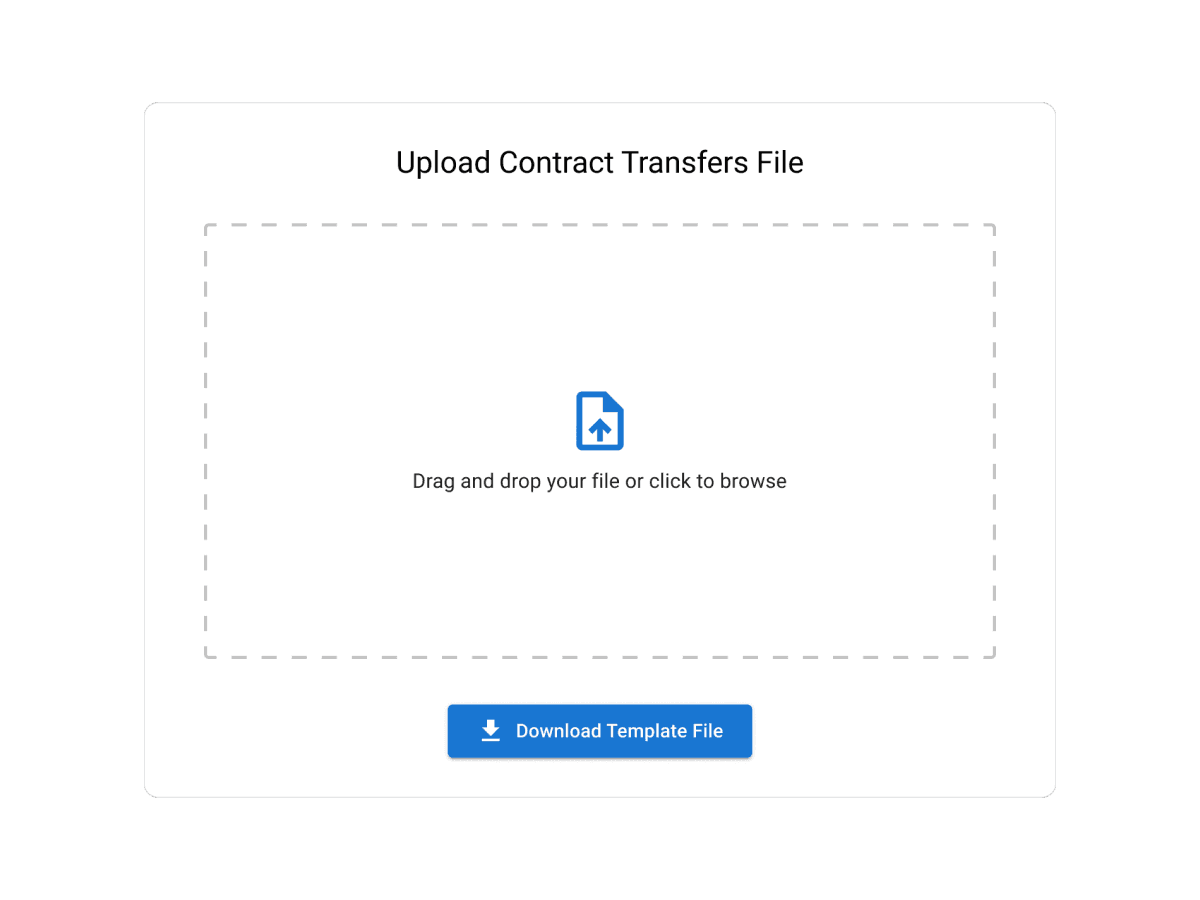
Upload Card (New)
7.1
New upload card for IMA 360
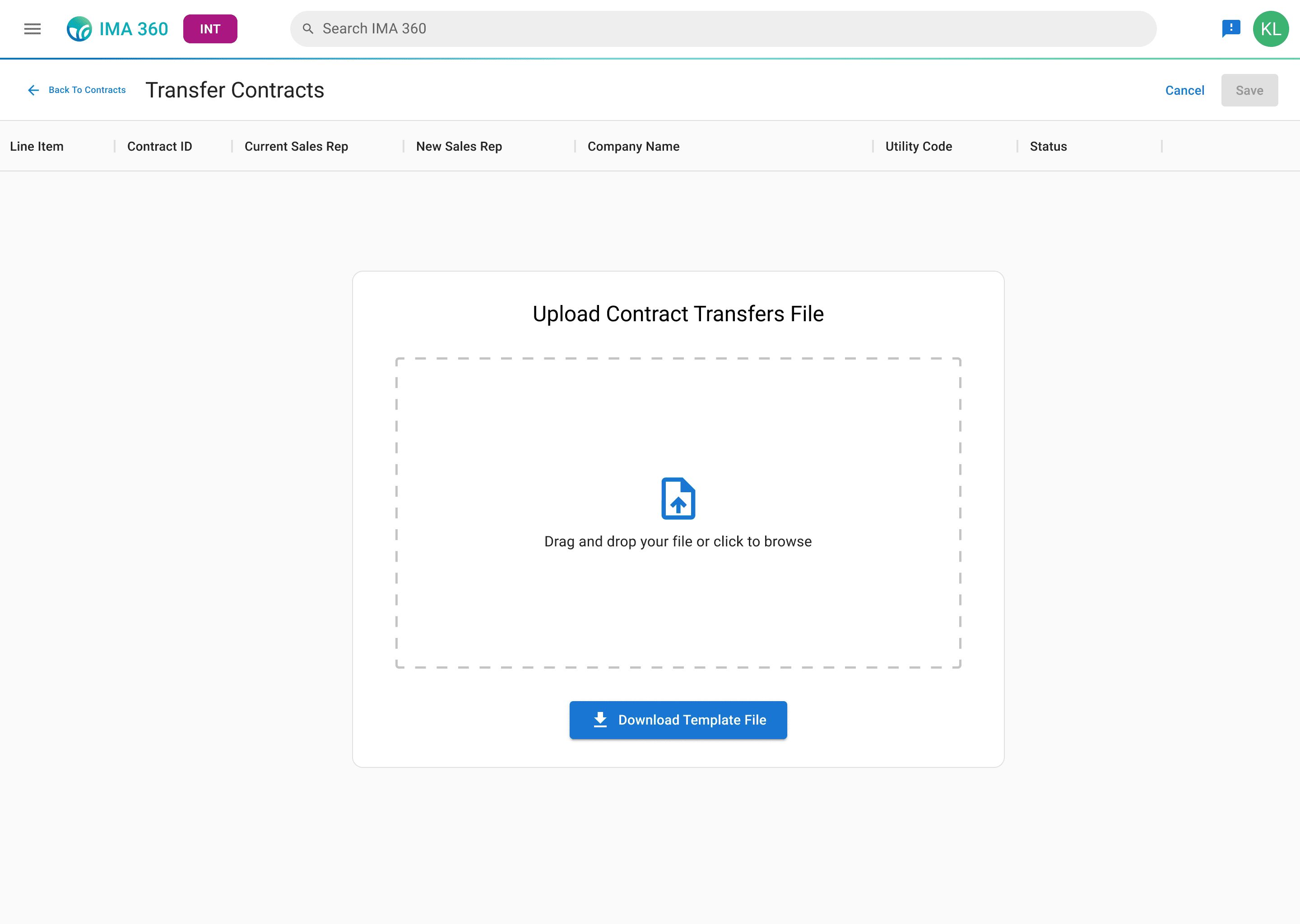
Design Rationale
7.2
Step 1 in Contract Transfers Flow
In this particular instance, we wanted to use the empty table state as an affordance to the actual content of what's expected to be uploaded. This centered upload component was more appropriate for the user's task, and also provided more horizontal space to view the table header.
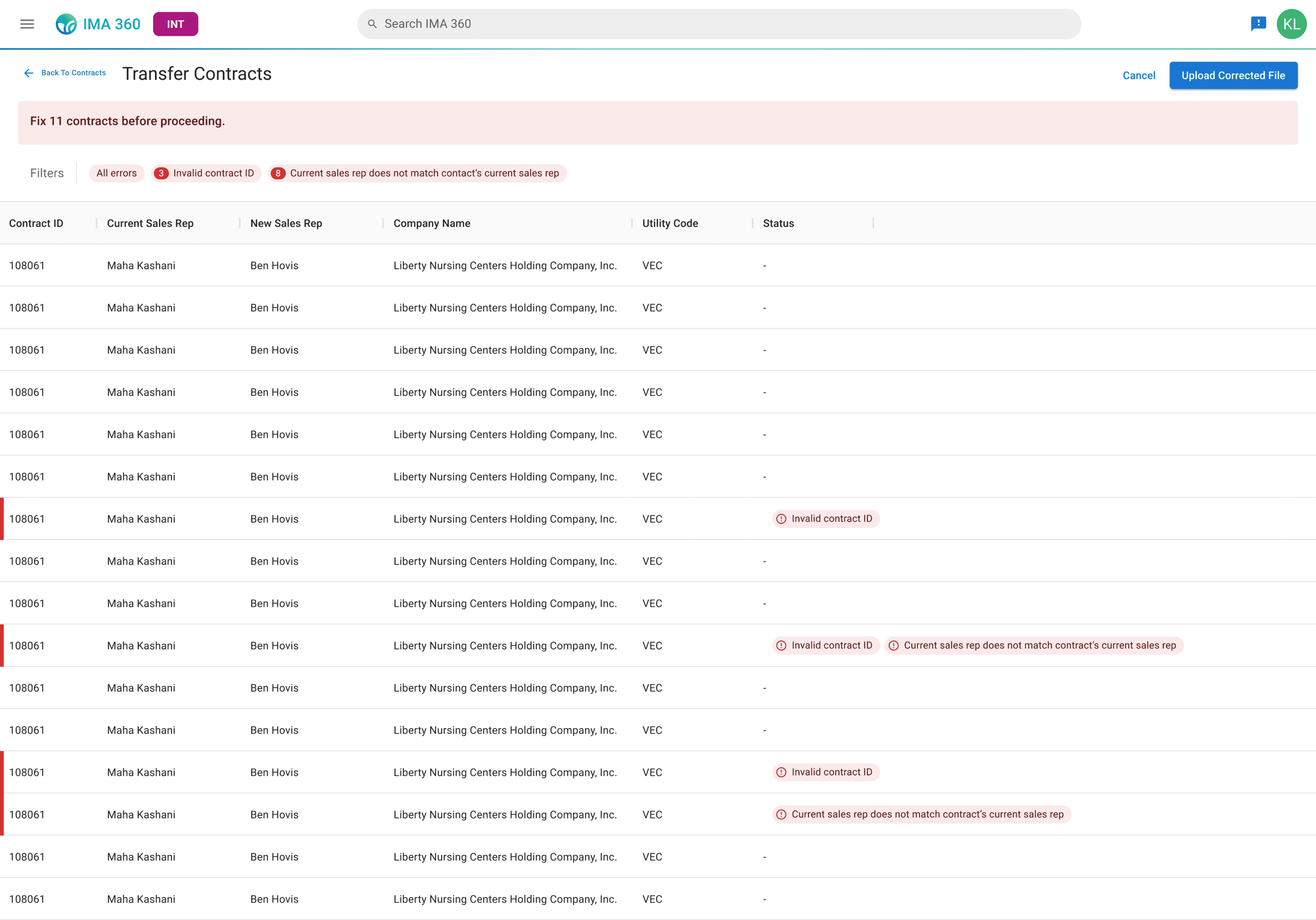
7.3
Step 2 in Contract Transfers Flow
Unlike the upload flyout, we reduced the amount of clicks needed by not having an upload button. After the file is dragged into the dropzone or uploaded manually. As long as it meets the minimum requirements (file size and type), it auto-populates the table.
My Role
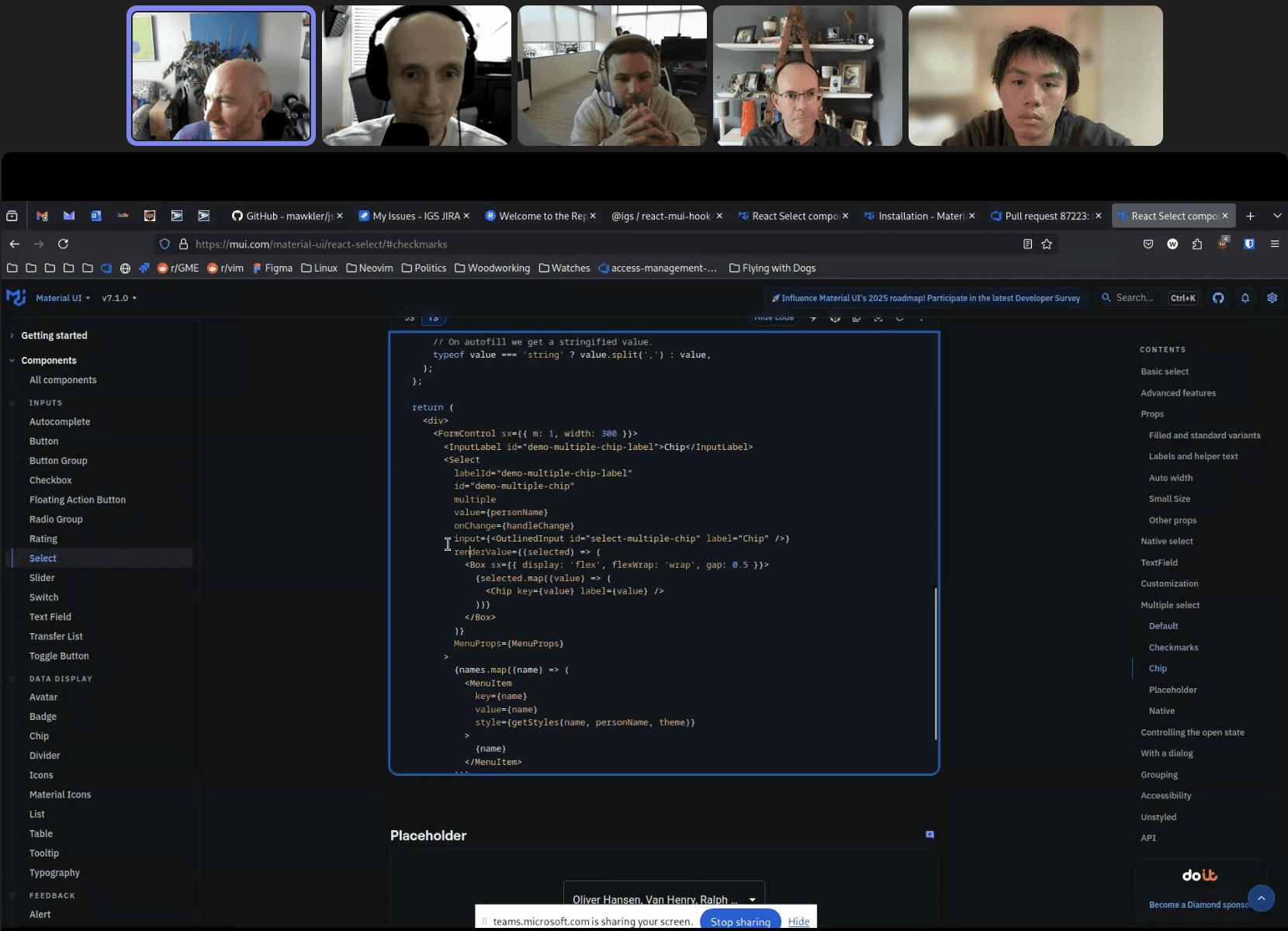
I thought of my role on our design system like a volunteer. With no dedicated designers working on our design system, I made updates whenever I thought it could improve our work or save time.
8.0
Screenshot of meeting between design + web framework (frontent UI) devs
All design system updates were a collaborative effort between designers, as we followed a feedback and approval process, and also one with developers to implement our changes.
More about my workflow
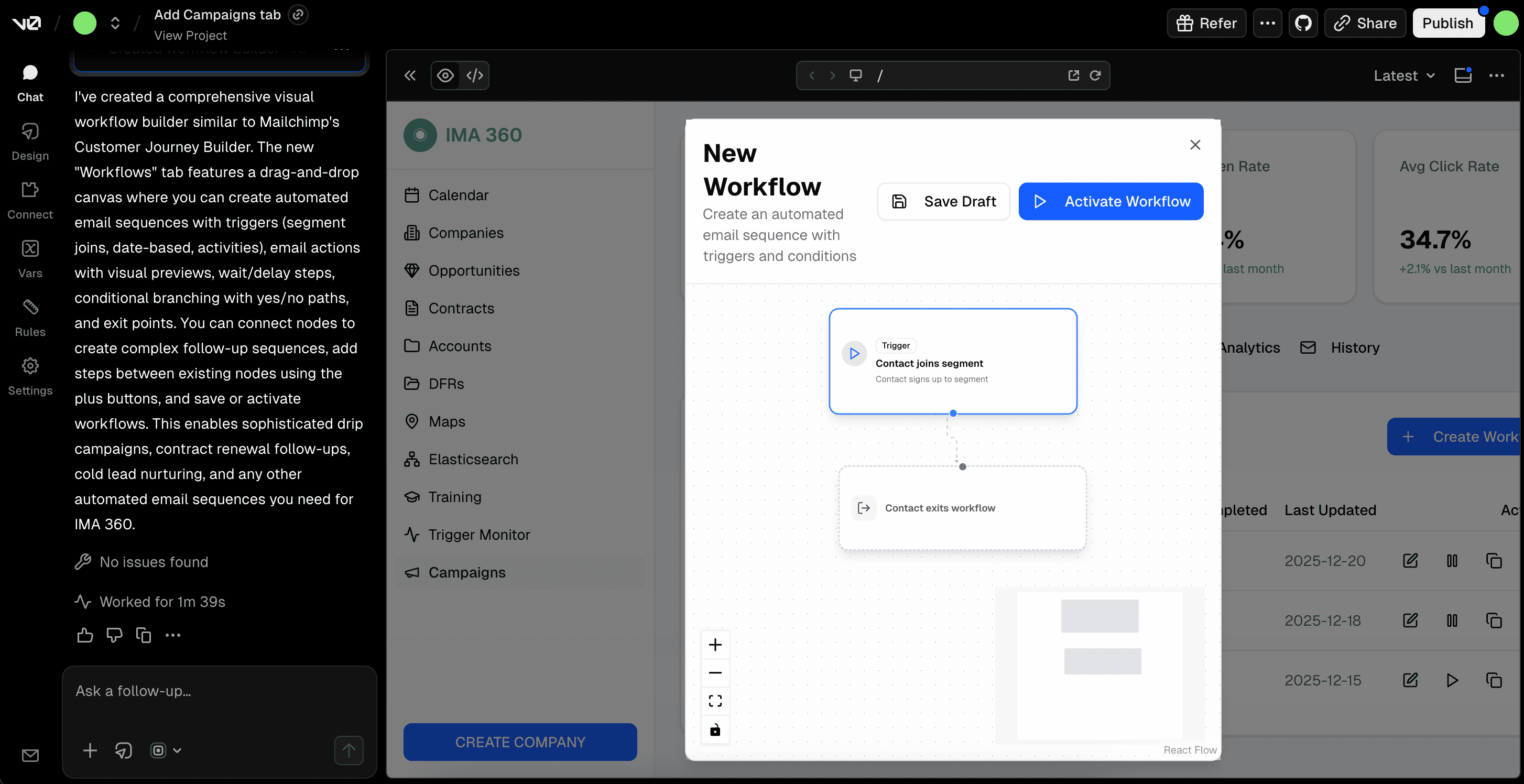
In the process of designing new components, patterns, and screens, I heavily-leveraged AI (v0) for early-stage iteration and establishing user flows. This helped increase design's output substantially.
9.0
Screenshot of one of the many v0 prototypes I made.
View Next Project